
Skip to content
Hedou Bibi
English
Let's talk

Multilingual websites, made for your audience

Work with our Shanghai team to plan your content, language URLs, SEO and layouts. We’ll help you choose a setup for your markets and check the copy and language links before launch.

Find the right fit for your website

TranslatePress offers a visual translation workflow; Polylang lets you manage separate content for each language. We review your content, integrations and SEO needs before recommending a setup.

Plan
A

TranslatePress

Fast launch

A practical option for smaller sites with similar pages in each language and a simple publishing workflow.

¥1,200 / site / year

Base package:
Chinese + 2 target languages; +1 standard language: +¥100/year.

Simpler publishing
Publish an article or product once, then maintain its translations without creating separate content for each language.
Get multilingual content live faster
There is no need to recreate pages for each language, so websites with less content can launch multilingual versions sooner.
For smaller websites
With fewer pages and similar content across languages, launch and later content updates are easier to manage.
Choose how to view the comparison

The main difference is how you publish. TranslatePress translates a source page; Polylang links separate pages for each language. Choose the workflow your team can keep up to date.

Plain-language overview: TranslatePress and Polylang comparison
FeatureTranslatePressPolylang
What the website storesOne source page, with its translated text stored separately.Separate pages for each language, linked as translations.
When a user opens an English pageThe site serves the source page with its saved English translations.The site serves the English page and its content.
When Google visitsGoogle can crawl the translated URL. Check that the page returns complete, readable content.Google can crawl the English page. Check its content, indexing settings and links to other languages.
How to think about speedTranslation lookups are one part of page loading. Test the actual site with its hosting, images and caching.Separate language pages change the publishing workflow. Loading speed still depends on the whole website.
Is it static HTML?Translated text is stored for reuse; it does not need a new machine-translation request for every visitor. Page caching may also serve a saved response.Separate pages are stored in WordPress, not automatically exported as static HTML. Page caching is a separate setup.
How multilingual URLs workA path such as /en/ opens the English version of the source page.A path such as /en/ opens the linked English page.
When content is updatedWhen the source changes, review and update the affected translations.Review related language pages when information changes. Each version can also have content written for its own audience.
SEO: key points for Google indexingReview the title, description and URL in each language. Translated SEO elements require the appropriate SEO Pack and integration.Write titles and descriptions for each language page using a compatible SEO setup. Review images, links and content too.
Which websites does it suit?Sites with similar content across languages and a team that prefers visual translation.Business sites, product catalogues and blogs that need different content or publishing schedules for each language.
DrawbacksCheck translation coverage on complex pages and benchmark uncached requests. SEO features depend on the edition and add-ons in use.Each language needs its own content review. Shared interface text and custom fields also need translation setup.

For your developer: compare content storage, rendering and integration requirements.

Technical overview: TranslatePress and Polylang comparison
FeatureTranslatePressPolylang
Data storage modelKeeps the source WordPress post and stores translated strings in plugin-managed tables.Stores a separate WordPress post for each language and links the posts as translations.
Page rendering processTranslates the rendered page output using stored strings. Check coverage for custom markup and dynamic content.Loads the post for the selected language through WordPress. Theme strings and dynamic messages still need translation support.
Request performance characteristicsTranslation lookups can add processing on an uncached request. Measure the installed setup; database queries, caching and page complexity affect the result.Separate language posts use WordPress queries and content storage. Performance depends on the full theme, plugin, database and caching setup; benchmark before choosing.
Static file generationThe plugin itself does not write static HTML files to disk. Static caching relies on third-party page caching plugins such as LiteSpeed / WP Rocket.The plugin itself does not write static HTML files to disk. Static caching relies on third-party page caching plugins such as LiteSpeed / WP Rocket.
SEO & Meta controlTranslatePress provides language URLs and hreflang. Its paid SEO Pack adds translation of SEO metadata and URL slugs; check the installed licence and SEO integration.Polylang links separate posts for each language. Check SEO-plugin compatibility and the edition needed for custom fields, media and other integrations; these are not all automatic.
Translation coverageUse the visual editor for page and interface text. Test shortcodes, forms and JavaScript content for missing translations.Edit translated posts in WordPress. Theme and plugin strings need registration or language files; JavaScript messages and custom fields need explicit integration and testing.
Suitable projectsSites with shared layouts and content, where editors prefer translating the rendered page.Sites that need separate language content and editorial control. Confirm any WooCommerce, media and custom-field integrations.
Potential technical risksCheck dynamic widgets for untranslated text and test performance with representative content and traffic. Review database growth and caching as the site expands.Confirm support for custom post types, taxonomies and fields. Each language adds content review and maintenance work, depending on the integrations and publishing workflow.

A multilingual website needs more than translated text

After translation, check each page for heading wraps, button widths, navigation density, card heights, tables and mobile reading order. Complex pages and long content require additional layout work.

Headings and buttons

Check line breaks, widths and CTA readability.

Services and cards

Prevent text overflow and inconsistent heights.

Tables and FAQ

Long content needs an alternative mobile layout.

Shared areas

Keep menus, footers, forms and contact details in sync.

Give each language
content that answers its audience

Write for the people reading each language version. Review page topics, project examples and calls to action, then check language URLs, canonicals, hreflang, sitemaps and form messages.

URL structure

/en/ or /en/services/, /en/cases/.

Language

Keep lang, hreflang and sitemaps in sync.

Meta

Separate Title, Description, OG and canonical settings for each language.

Content

Display different products, articles, images and sections.

More content and custom features can mean more work

Long content, page-by-page multilingual entry, third-party website handovers, WooCommerce, complex filters, memberships, integrations and extensive custom code require a quote based on an actual site review.

Large content volumes

Translated pages can become longer and require layout adjustments.

Third-party websites

First review the theme, plugins, fields and legacy code.

Online stores

Products, filters, carts and membership systems add testing work.

Additional languages

Each new language needs additional content, review and SEO configuration.

Layout examples

Multilingual layouts need a closer look

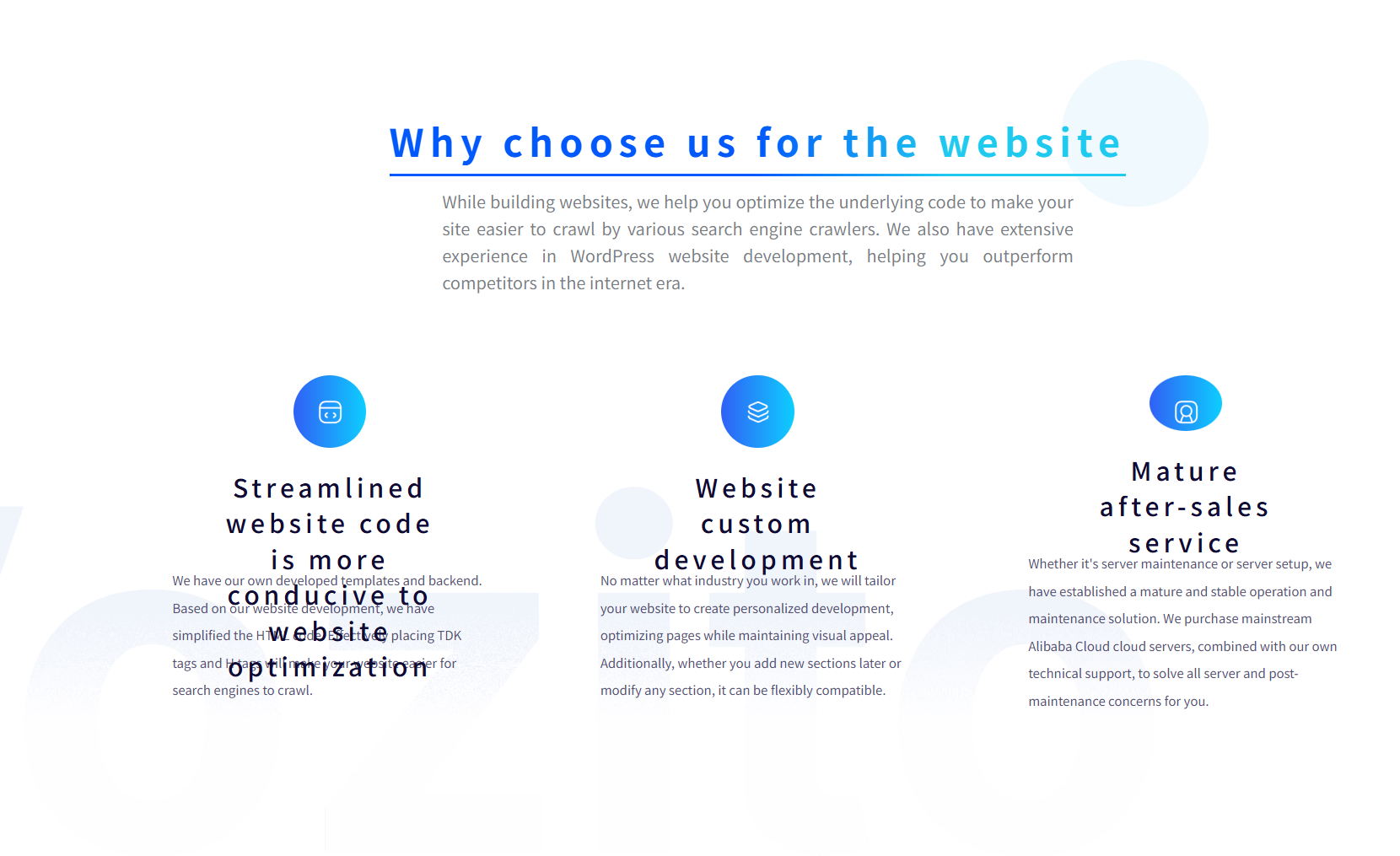
Before

Basic translation

Beforewebsite layout comparison

Issues visible in the screenshot

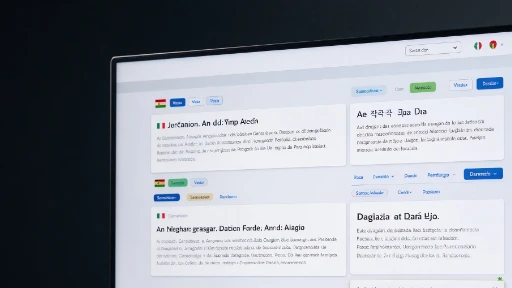
  • Longer navigation labels crowd together, causing menu text to overlap.
  • The hero heading, supporting text and call-to-action buttons collide.
  • Service card titles wrap across too many lines, pushing body text outside its intended area.
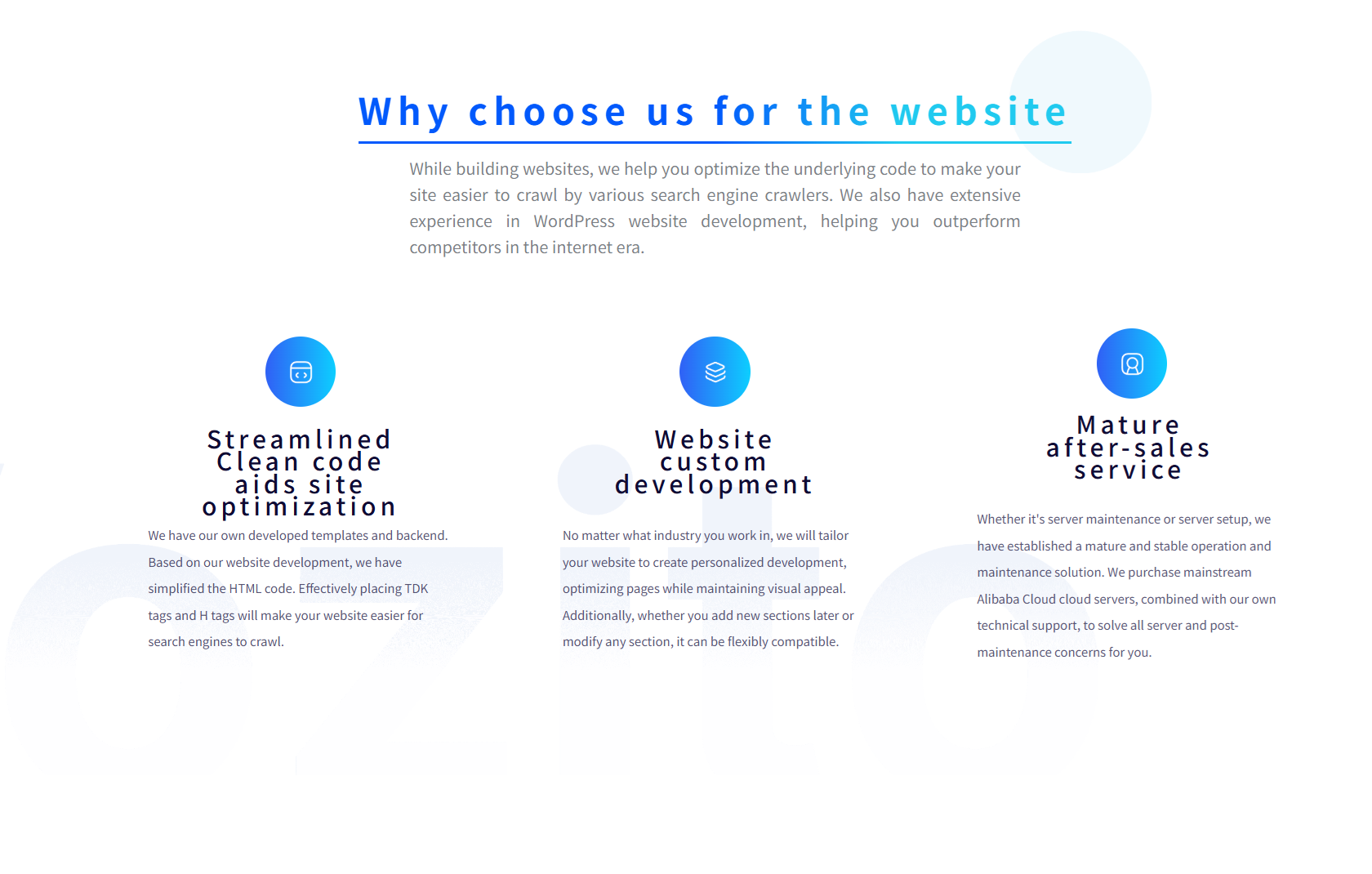
After

Multilingual layout adaptation

Afterwebsite layout comparison

Key improvements

  • Give navigation, headings and buttons flexible widths and consistent line heights.
  • Check each page at desktop, tablet and mobile breakpoints.
  • Review shared text and multilingual SEO output together.

Tell us about your site and target languages

Share your website URL, target languages and approximate page or product count. Let us know whether you have reviewed translations and need help with an existing site.

Budget
Preferred timeline
Answer the quick check before sending
Verification image; use Refresh for a new image